Zendesk Help Center theme · Copenhagen 4.51.4
A Help Center that keeps its calm in the dark.
Zendesk gave agents dark mode. Your customers still get one bright page. ZenTheme Pro is a real light/dark system for the Help Center: its own palette per mode, a visitor toggle, and no flash on load.
Light / dark
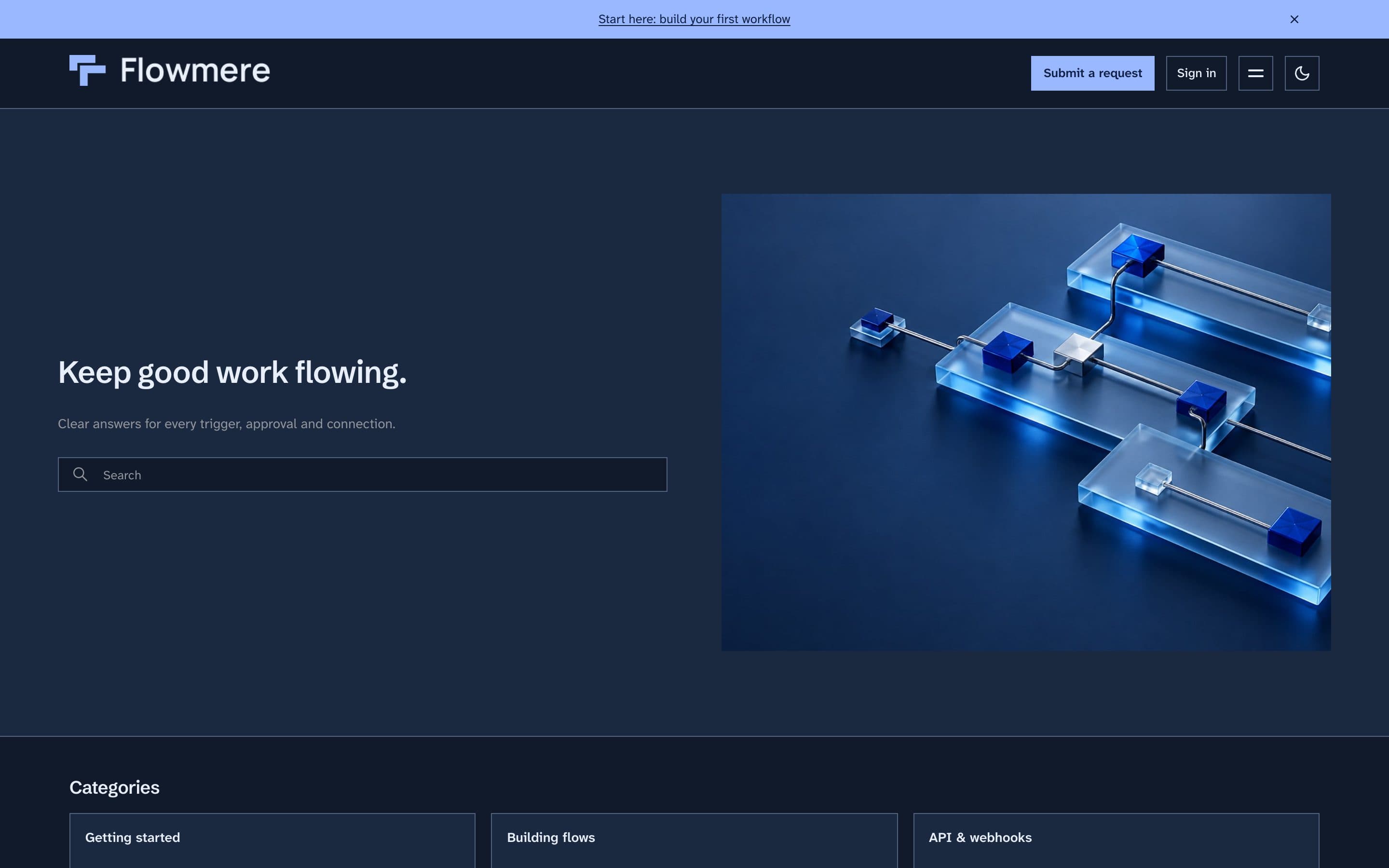
Same page. Two complete palettes.
Not a filter and not an inverted stylesheet. Brand, text, link, background, surface and border colors are set separately for each mode.
Demo brands
Three companies. One theme.
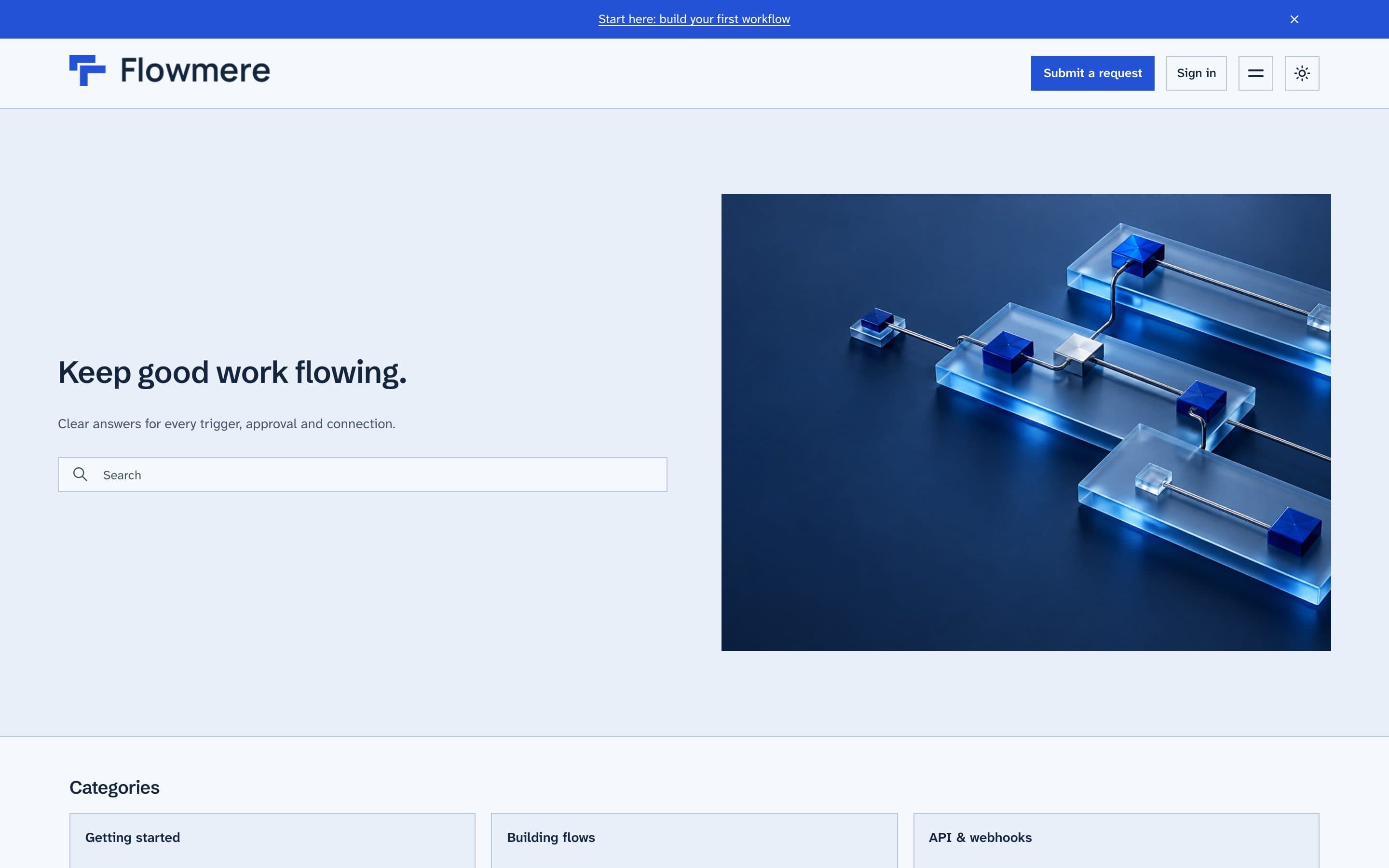
Three fictional companies, each with a live, fully branded Help Center running ZenTheme Pro. Open them, click around, search, switch modes.
Flowmere
Workflow-automation SaaS
- Header · Minimal
- Corners · Sharp
- Cards · Outline
- Hero · Split
- Community · Index
- Fonts · Schibsted Grotesk + Atkinson Hyperlegible Next
Light
Dark
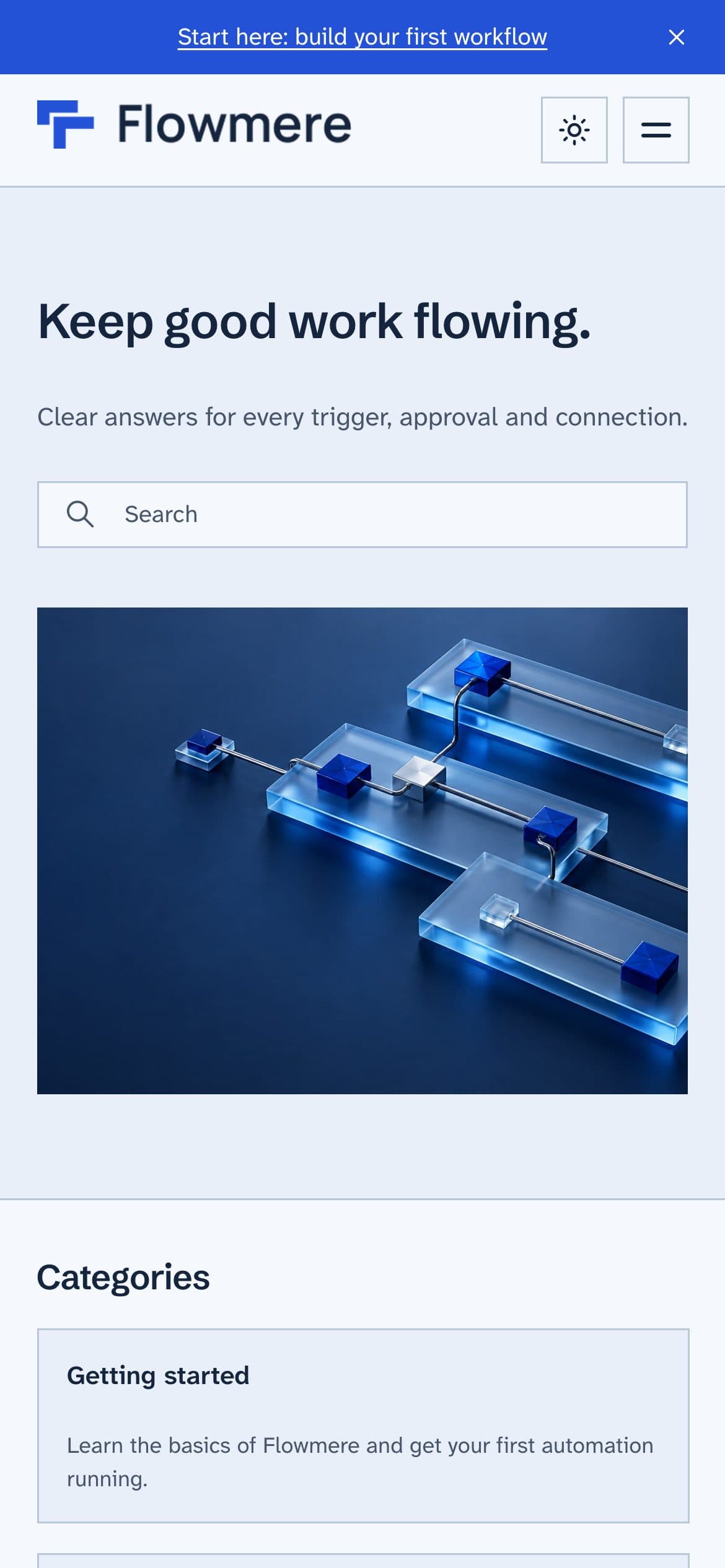
Flowmere is a fictional company, built as a demo. The Help Center is real and live.
Built from settings, not code
Every demo above is the same ZenTheme Pro theme. Only the settings panel and three uploaded images differ.
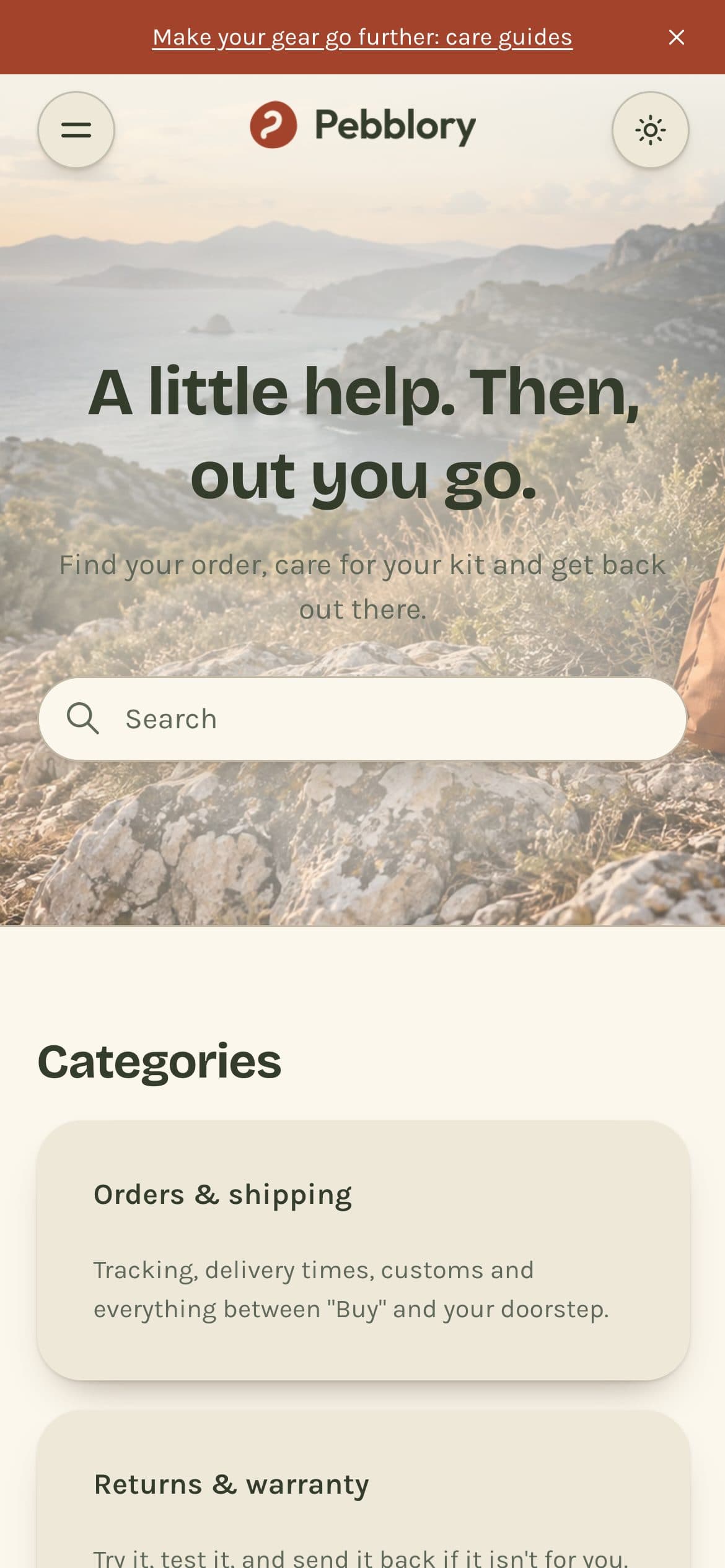
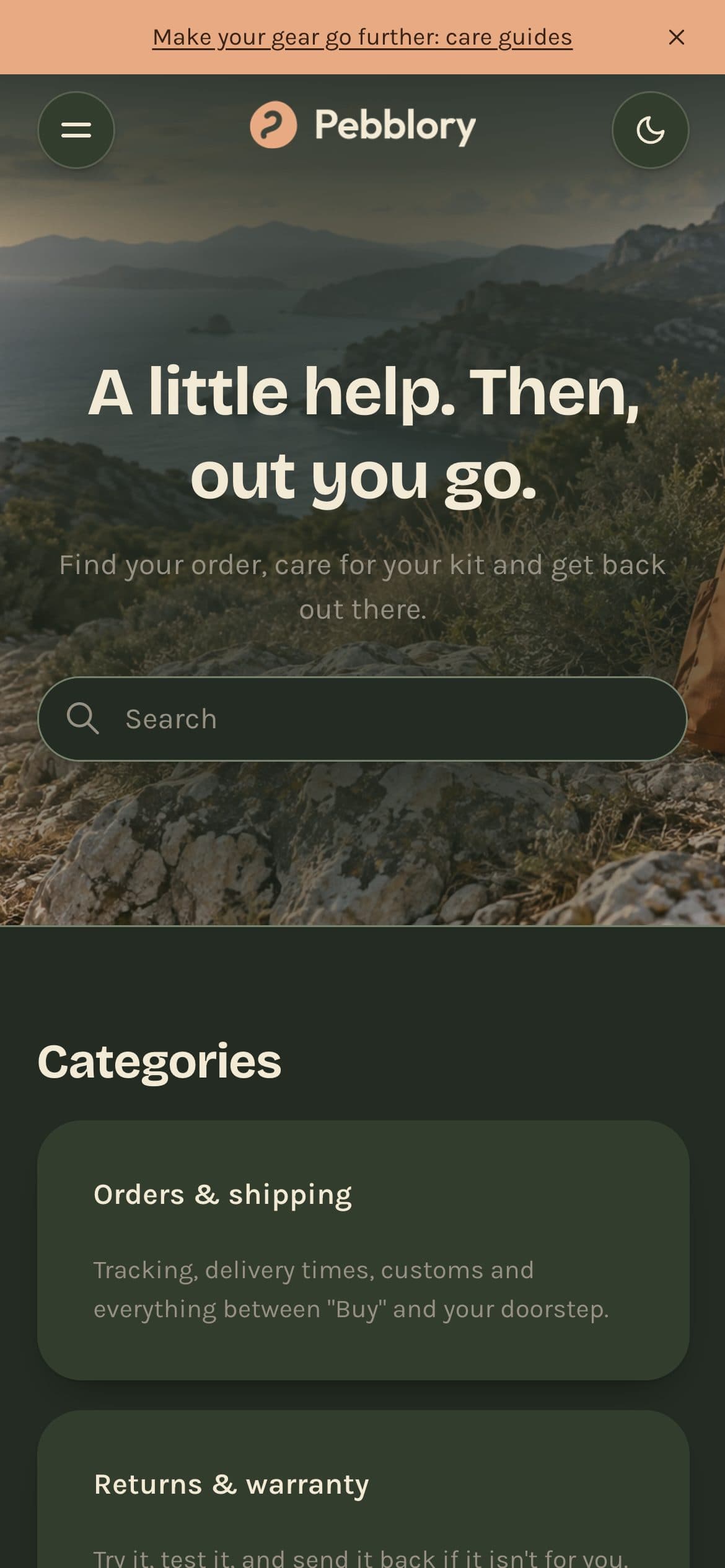
Mobile, in both modes
Pebblory on a phone: the same two palettes, sized for one thumb.
Features
What you actually get.
- 01
Real light/dark system
Separate brand, text, link, background, surface and border colors for each mode, all in the theme settings.
- 02
Visitor toggle, no flash
Follows the system preference by default. A toggle lets visitors override it, and the theme is applied before first paint.
- 03
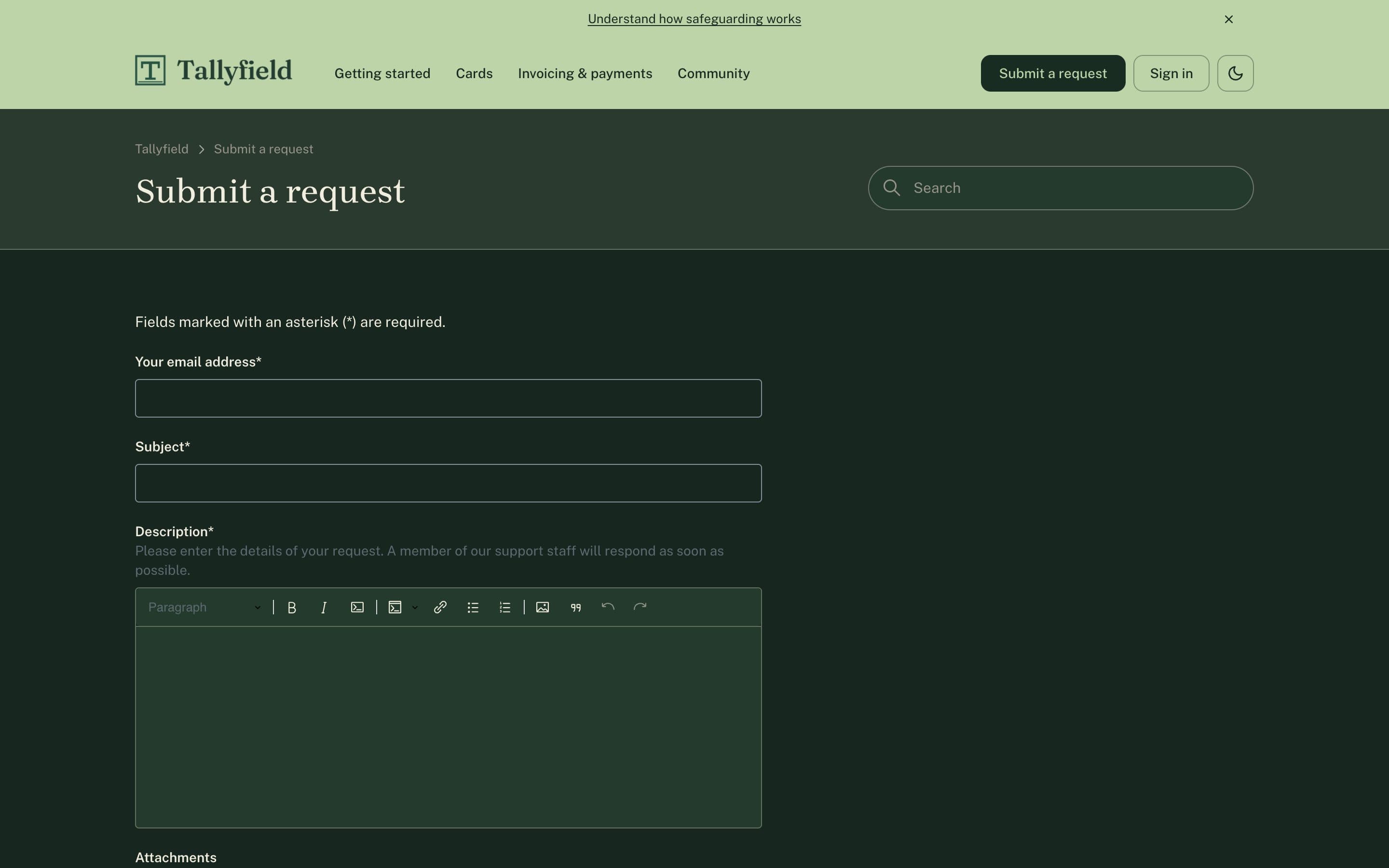
Request forms re-theme live
Zendesk's React request forms pick up the active mode instantly, instead of staying white in a dark page.
- 04
Corner radius and card style
Sharp, soft or round corners. Outline, elevated or tinted cards. Two settings that change the whole feel.
- 05
Heading and body fonts
Pick a heading font and a body font separately, each with its stylesheet URL. A safe fallback stack covers a failed load.
- 06
Header layouts
Classic, centered or minimal, with an optional sticky header. Logo height sliders and a dark-mode logo.
- 07
Split or image hero
Set the title and subtitle, then choose a plain, split or full image hero.
- 08
Announcement bar
A slim line above the header with your own text and link, for a launch, an incident or a starting point.
- 09
Redesigned community
Three topic list layouts, spotlight or list featured posts, and live activity on every topic, all set from the theme settings.
- 10
Polished article page
Restyled to follow your fonts, colors, corners and cards, on the page most visitors land on from search.
- 11
Mobile-first, newest upstream
Built from the phone up on Copenhagen 4.51.4: security fixes, service catalog and applications page included.
- 12
Service catalog and approvals, themed
Copenhagen's service catalog and approval request pages pick up your fonts, colors, corners and cards, and follow light/dark mode like the rest of the Help Center.
The request form, in the dark
The new-request page is where most themes give up and flash white. Here it re-themes live with the rest of the page.
Comparison
Why not Copenhagen?
Copenhagen is a solid base, and it is what we build on. It has one palette and one header. Here is what changes.
| Feature | Copenhagen | ZenTheme Pro |
|---|---|---|
| Built on | Copenhagen 4.51.4 | Copenhagen 4.51.4 |
| Light/dark system with visitor toggle | No | Yes |
| Separate colors per mode | No | Yes |
| Request forms follow the mode | No | Yes |
| Header layouts | One | Classic, centered, minimal + sticky |
| Style settings (radius, cards, hero) | None | All |
| Custom heading and body fonts | No | Yes |
| Dark-mode logo and logo sliders | No | Yes |
| Hero title, subtitle, image | Image only | Yes |
| Community topic layouts | One | Index, ledger, showcase + featured posts |
| Support | Zendesk docs | |
| Updates | From Zendesk | 1 year included |
| Price | Included | $299 one-time |
Pricing
Pay once. Keep the theme.
No subscription for the theme itself. Updates are included for a year, and the files are yours.
Pro
$299 One-time
- All header layouts, corner and card styles
- Custom fonts, announcement bar
- Dark-mode logo
- Hero options
- 1 year of updates
- Email support
Done-for-you setup
$249 One-time
- We brand and install it on your Help Center
- Delivered in 48 hours
Consulting
from $90/h Hourly
- Custom Help Center work
- Templates, migrations, audits
Services
Help Center work, by the engineer who built the theme.
Zendesk Help Center customization and consulting from a senior frontend engineer who works in React and Next.js every day.
Custom templates
New page templates and components for your Help Center, in Handlebars, CSS and JavaScript.
Migrations to latest Copenhagen
Move an old or heavily forked theme onto the current upstream without losing your changes.
Dark mode retrofits
Add a real light/dark system to the theme you already run.
Performance and a11y audits
Lighthouse and axe findings, ranked, with fixes for the ones that matter.
FAQ
Questions, answered.
Marketplace or direct?
The ZenTheme Pro license is sold through the Zendesk Marketplace and installs straight into your Help Center from there. Done-for-you setup and consulting are booked directly with us.
How do updates work?
Pro includes a year of updates. When Zendesk ships a new Copenhagen release we merge it, test it and send a new version. You import it in Guide, and your settings stay in place. The current base is 4.51.4.
Does it survive Zendesk updates?
Zendesk does not auto-update custom themes, so a change on their side will not overwrite yours. That also means upstream fixes only reach you through a new version, which is what the update year covers.
Is there a trial?
Yes. The Zendesk Marketplace listing includes a 14-day free trial of ZenTheme Pro, so you can preview the theme in your own Help Center before buying. The trial lets you look, not go live — activating it for your visitors is the paid step.
Do I need a developer to set it up?
No. Colors, fonts, logos, header layout, corner radius, cards and hero are all theme settings in Guide. If you would rather not, the done-for-you setup does it in 48 hours.